E-commerce CRM message templates are pre-built messages tied to a specific customer segment, and they only work once each sending channel (SMS, KakaoTalk and app push) is set up. In Korea, stores on the Godo Mall platform must register SMS senders and verify their identity starting October 26, 2026 (Mobiinside, as of October 27, 2026).
What must be registered before sending SMS?
SMS is the most common channel in Korean e-commerce, and it has the most setup steps:
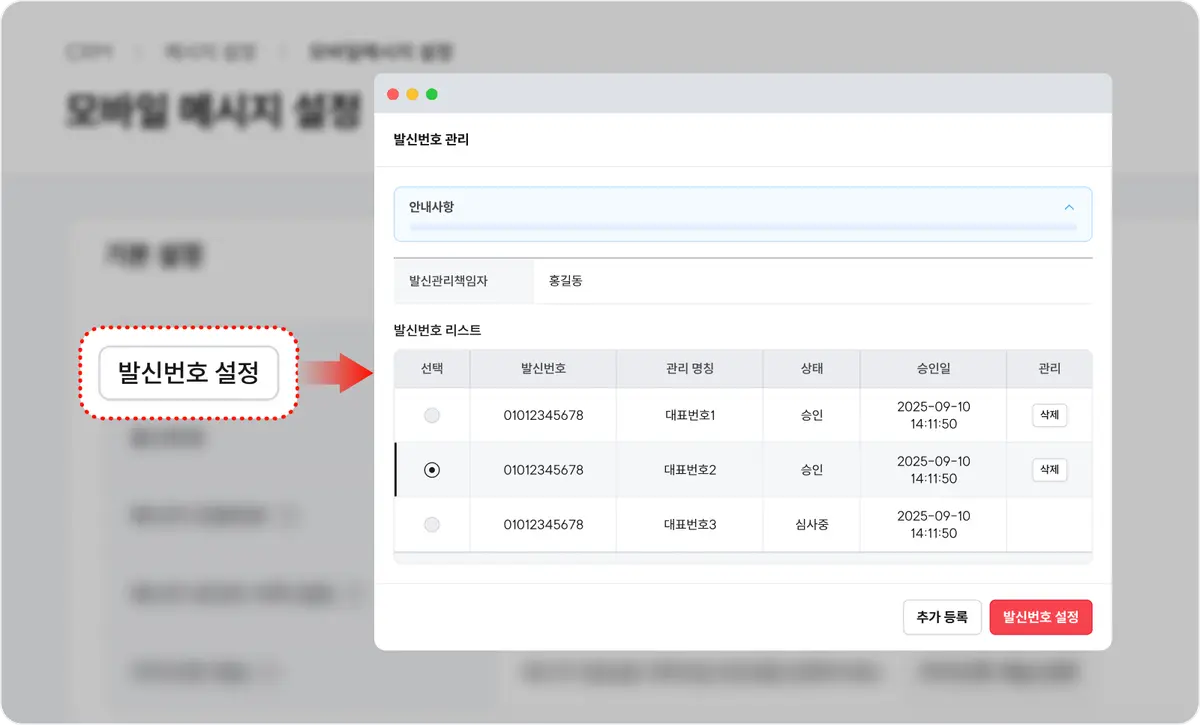
- Assign sending roles. Name one sender manager, one delegate and up to five staff who actually send, and have each complete identity verification.
- Register sender numbers. Up to three mobile lines (four if registered to the business) and up to five landlines.
- Label promotional messages. Promotional texts must start with "(Ad)" and include a free 080 opt-out number.
How should AlimTalk, FriendTalk and push be split?
KakaoTalk is Korea's dominant messenger, so most stores use its business messaging alongside SMS.
| Channel | Best for | Setup required |
|---|
| KakaoTalk AlimTalk | Order, shipping and points-expiry notices | Sender profile key (sending opens one hour after issue), template review |
| KakaoTalk FriendTalk | Discounts and new arrivals | Channel followers, "(Ad)" label |
| App push | Short re-engagement nudges | App install and opt-in |
| SMS | Fallback when AlimTalk fails, non-Kakao users | Registered numbers, verification |
Turning on fallback sending means an undelivered AlimTalk is resent by SMS, so critical notices are not lost.
Which eight segments need a template?
| Segment | Core message |
|---|
| 1. Points about to expire | Expiry date, amount and products to use them on |
| 2. Returned but did not buy | Popular items similar to what they viewed |
| 3. Abandoned cart | Items in cart with a checkout link |
| 4. At-risk customers | A reason to come back after a long gap |
| 5. New sign-ups with no purchase | First-order offer |
| 6. Repeat buyers | Reminder that it is time to reorder |
| 7. Purchase confirmed | Review request |
| 8. Cart item nearly sold out | Remaining stock alert |
Takeaways for marketers
- Finish channel setup first. A great template is useless if sender numbers, profile keys or verification are blocked. With the October 26, 2026 change, check every staff member's verification status now.
- Do not switch on all eight at once. Start with abandoned cart and expiring points, which tie directly to revenue, then expand once you see results.
- Keep informational and promotional content apart. Adding discount copy to an AlimTalk notice gets it rejected in review. Send promotions through FriendTalk or labeled SMS.
- Measure conversion by segment. Knowing which segment responded tells you what to send next. We cover reducing manual sends in e-commerce customer messaging split into manual, recurring and automated sends and checkout-stage diagnosis in low ROAS after an Olive Young sale.
Source: Mobiinside